Best Of Bosch3.0.0
Publisher Description
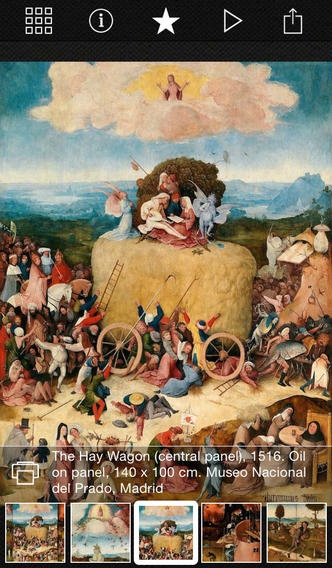
With Best Of Bosch, you ll enjoy the most renowned works of Hieronymus Bosch anytime, anywhere. It s like having your own private art gallery!
Best Of Bosch showcases 62 carefully selected, stunningly detailed full screen images in a beautiful interface especially designed for iPad and for iPhone.
Hieronymus Bosch (1450 1516) was an Early Netherlandish painter. His work is known for its use of fantastic imagery to illustrate moral and religious concepts and narratives.
***FEATURES***
Best Of Bosch features an easy-to-use, intuitive interface that lets you:
> Browse the thumbnail gallery or search by keyword to quickly find a desired work of art
> Quickly learn a work of art s title, year, technique, size and current location
> Read the artist biography
> Create your own favorites selection
> Enjoy a slideshow with your selected music
> Share artwork and its description to Facebook, Twitter or by email to anyone, anywhere
> Save artwork to Photo Stream and AirDrop
> Order high quality prints directly from the app
All images are included in the app, which means that they load extremely fast and no internet connection is required to view them.
Best Of Bosch makes art book illustrations a thing of the past. It is the new way to learn and enjoy the art of the great Masters.
Requires iOS 7.0 or later. Compatible with iPhone, iPad, and iPod touch.
About Best Of Bosch
The company that develops Best Of Bosch is Nuno Palmeirim. The latest version released by its developer is 3.0.0.
To install Best Of Bosch on your iOS device, just click the green Continue To App button above to start the installation process. The app is listed on our website since 2013-04-22 and was downloaded 5 times. We have already checked if the download link is safe, however for your own protection we recommend that you scan the downloaded app with your antivirus. Your antivirus may detect the Best Of Bosch as malware if the download link is broken.
How to install Best Of Bosch on your iOS device:
- Click on the Continue To App button on our website. This will redirect you to the App Store.
- Once the Best Of Bosch is shown in the iTunes listing of your iOS device, you can start its download and installation. Tap on the GET button to the right of the app to start downloading it.
- If you are not logged-in the iOS appstore app, you'll be prompted for your your Apple ID and/or password.
- After Best Of Bosch is downloaded, you'll see an INSTALL button to the right. Tap on it to start the actual installation of the iOS app.
- Once installation is finished you can tap on the OPEN button to start it. Its icon will also be added to your device home screen.
